
Claim Your Business
Search for your listing on /business, open your business page, and submit a claim to manage your Funafuna profile.
If your business is already on Funafuna, claiming is free. You keep the same public URL — you gain the ability to manage what customers see and respond to enquiries.
Start at the claim landing page or go straight to Get Listed if you need a new listing.
Steps
Go to /business
Open the claim page on Funafuna. Business owners can search for an existing listing from here — no account needed to search.
Funafuna already lists thousands of businesses across Lusaka. If your shop, lodge, salon, or restaurant is online, you can find it and claim your free business page.
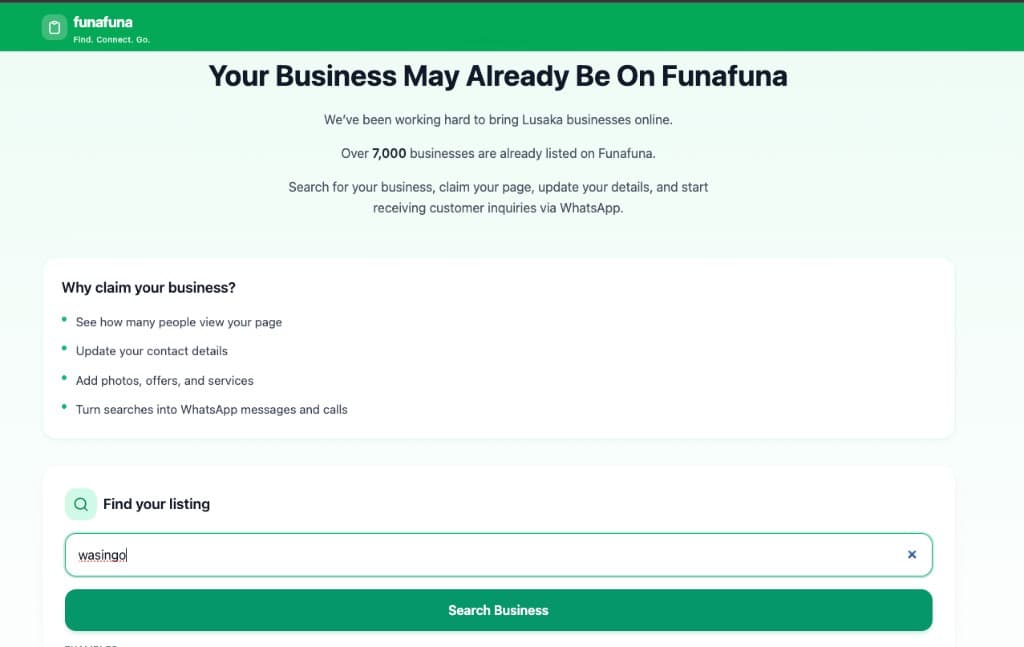
Funafuna claim page — search for your business Search for your business
In Find your listing, type your business name and tap Search Business.
Example: search wasingo to find lodges and guest houses with that name. You can search by full name, partial name, or common spelling.
Search by business name on the claim page (example — wasingo) Select the matching listing
Review the results and open the listing that matches your business.
Example: Wasingo Guest Inn — check the name, category (e.g. Lodge), and area (e.g. Lusaka) before you continue.
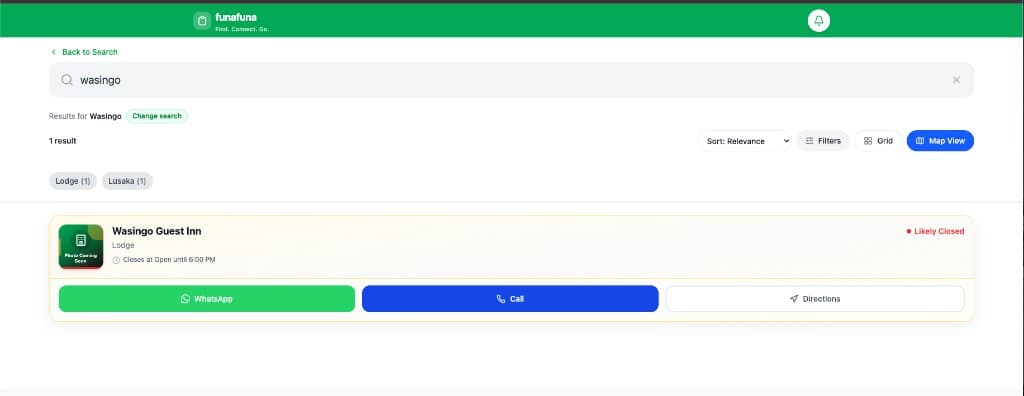
Search results for wasingo — Wasingo Guest Inn Click Manage My Business
On the vendor profile, find the Your Free Business Page banner at the top. It explains that this page works like a free website for your business — WhatsApp enquiries, photos, hours, and offers.
Tap Manage My Business to start the claim process. You may need to sign in or create a Funafuna account first.
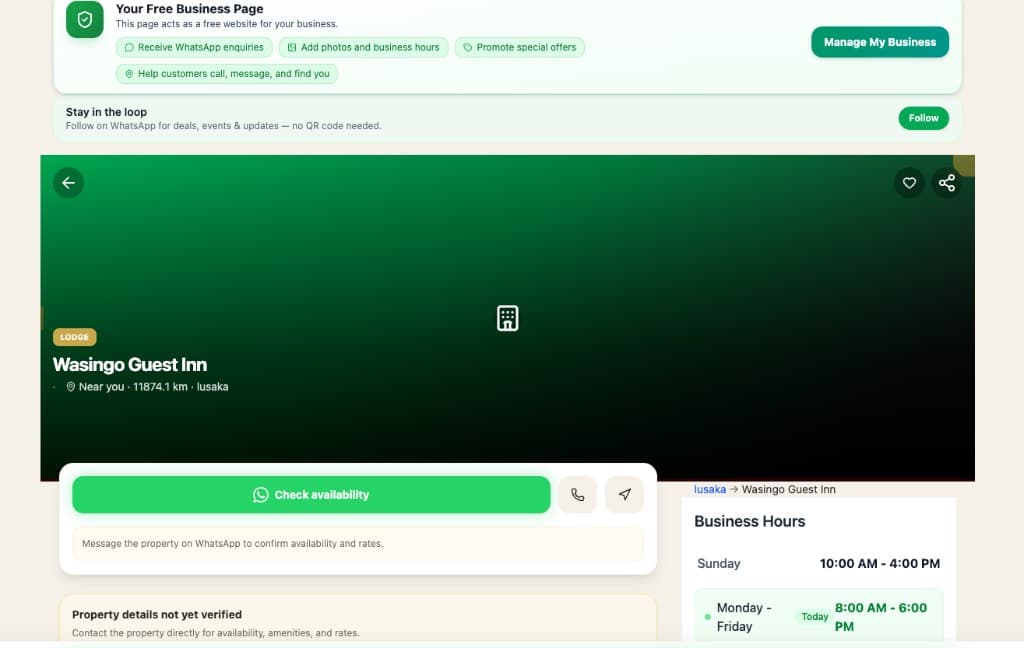
Vendor profile with Your Free Business Page and Manage My Business Complete the claim form
Fill in the claim form for your business:
- Your name — who is submitting the claim
- Phone (WhatsApp) — number customers and Funafuna can reach you on
- Relationship to business — choose the option that best describes you:
- Owner
- Manager
- Marketing Team
- Staff Member
- Authorized Representative
- Other
- Extra details (optional) — anything that helps us verify your connection to the business
Claims are reviewed manually — accurate contact details help us approve faster.
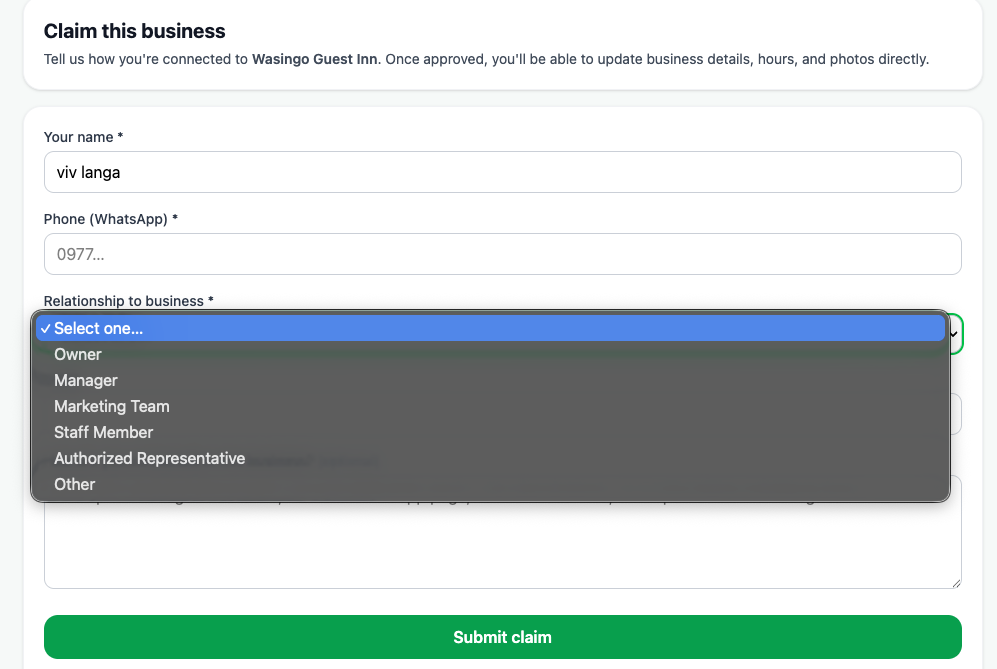
Claim form — name, phone, relationship to business, extra details Submit the claim
Tap Submit claim. You should see a Claim submitted confirmation naming your business.
The Funafuna team reviews claims and follows up within 1–3 business days. Once approved, you can update business details, hours, photos, and more from your vendor dashboard.
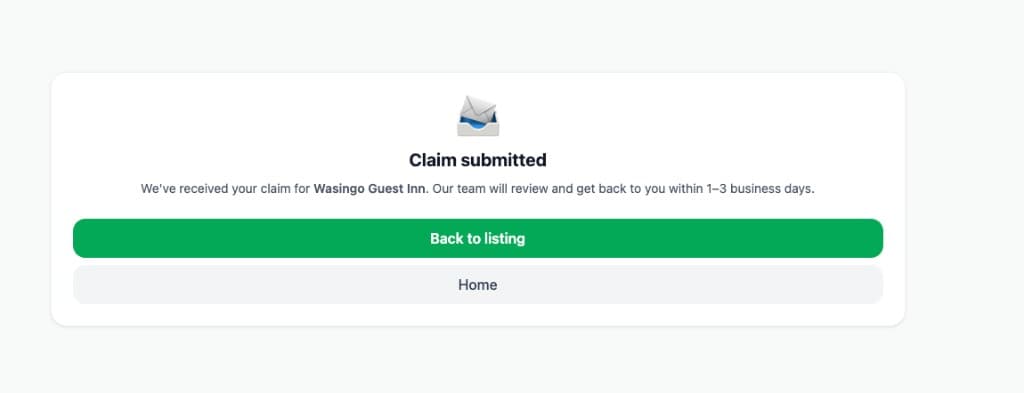
Claim submitted confirmation — review within 1–3 business days
FAQs
- What if I cannot find my business?
Try a shorter or alternate spelling of your name, or search by area. If you still cannot find your listing, use Request Free Listing and we will help add your business to Funafuna.
- Can someone else claim the business for me?
Yes — a manager, marketing contact, or authorized representative can submit a claim. Choose the matching Relationship to business option and add extra details so our team can verify the connection.
- How long does review take?
Most claims are reviewed within 1–3 business days. You will get access to manage your listing once your claim is approved.
- What can I update after my claim is approved?
You can update contact details, WhatsApp number, business hours, photos, services, and promotions from your vendor dashboard. See Update Listing Details for a full walkthrough.
- Do I need a QR code to claim my page?
No. Search and claim from /business on the web — no QR code required. QR codes are optional for other Funafuna features (e.g. following a business on WhatsApp), not for claiming.
Related tutorials
Continue learning with these guides.
Update Your Listing Details
Learn how to keep your Funafuna business page accurate by updating your business information, hours, photos, services, rooms, products, menus, amenities, promotions, and accepted payment methods.
Request a Free Listing
Request a free Funafuna listing when your business is not already online — submit the form and our team follows up on WhatsApp or phone.
Improve Search Visibility
Help more customers find your listing through accurate details, categories, and photos.