
Request a Free Listing
Request a free Funafuna listing when your business is not already online — submit the form and our team follows up on WhatsApp or phone.
Use Get Listed when you cannot find your business on Funafuna. Use Claim your business when your listing already exists and you want to manage it.
Already listed? Start at /business. Not listed yet? Start at /getlisted.
Steps
Go to /getlisted
Open Get Listed if your business is not already on Funafuna. This is the free intake form for new listings — different from claiming an existing page.
Funafuna helps local customers find businesses through search, maps, and WhatsApp. No payment is required to apply.
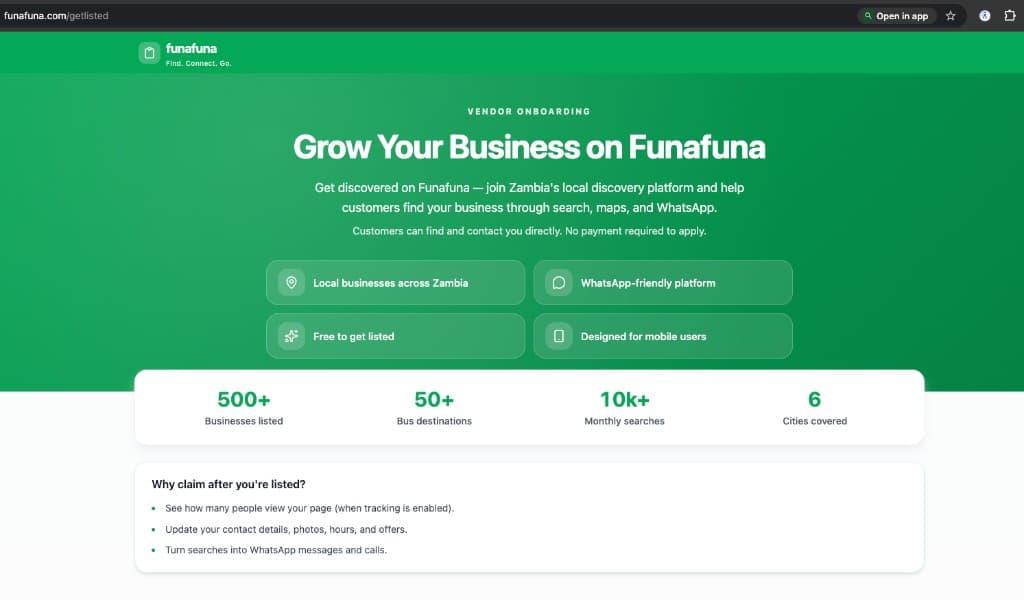
Get Listed landing page — Grow Your Business on Funafuna Review the benefits
Before you fill in the form, read what a free Funafuna business page can do for your shop, salon, or restaurant.
Recommended reading
Benefits of Listing Your Business on Funafuna
Discover how customers find, contact, and trust your business before you submit the form.
Read guide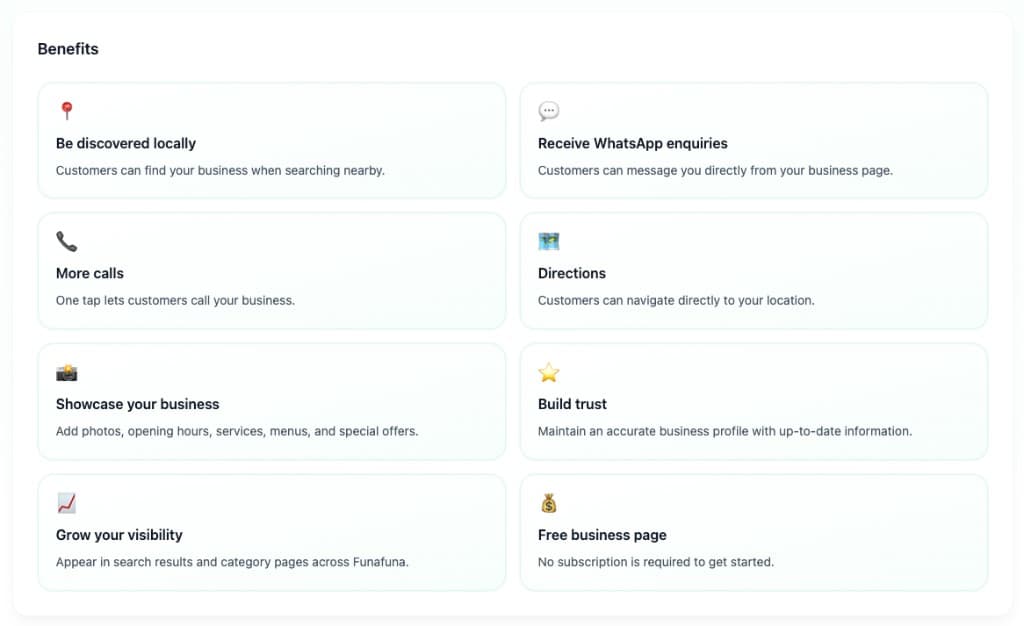
Benefits of a free Funafuna business page — local discovery, WhatsApp, calls, and more Complete the Request your listing form
Scroll to Request your listing and fill in your details:
- Business name (required)
- Category / type of business — e.g. salon, restaurant, lodge
- Phone (required — at least one phone or WhatsApp number)
- WhatsApp (recommended)
- Your name (optional)
- Email (optional)
- Area / suburb — e.g. Avondale, Lusaka
- City — defaults to Lusaka; change if needed
- Country — ZM for Zambia
The form is short — we only use this information to reach you and set up your business profile.
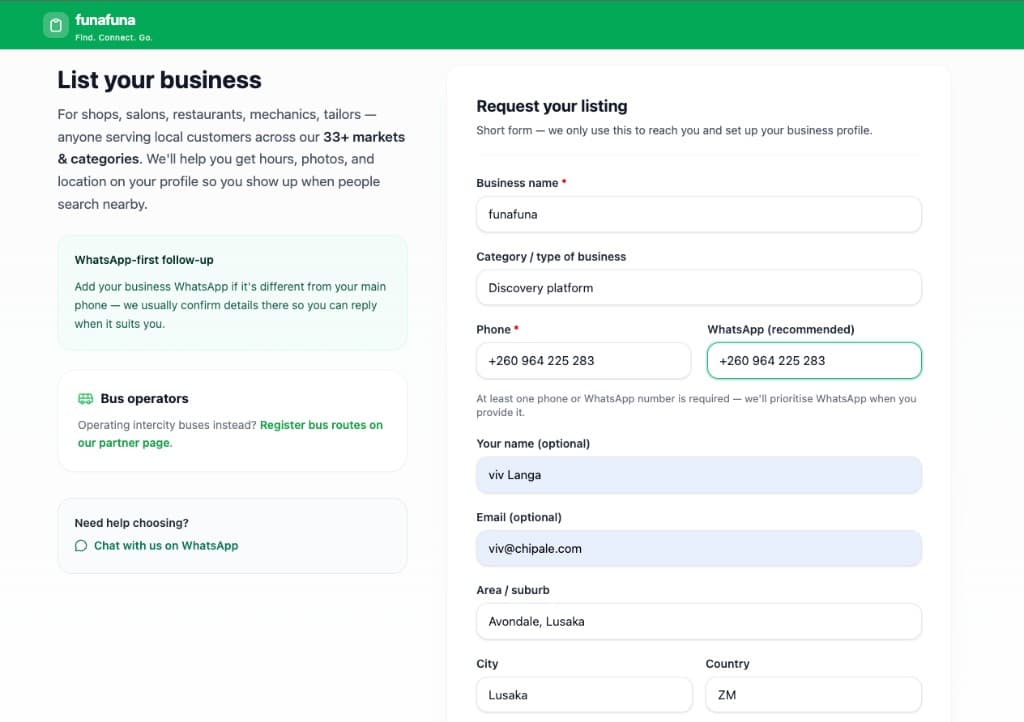
Request your listing form — business and contact fields Use WhatsApp when possible
Add your business WhatsApp number if it is different from your main phone. Funafuna uses WhatsApp for follow-up when you are setting up your listing, and many customers contact businesses on WhatsApp from search results.
The form notes that at least one phone or WhatsApp number is required — we prioritise WhatsApp when you provide it.
WhatsApp field on the listing request form Submit the request
Tap Submit at the bottom of the form. If everything looks good, you will see a Request received confirmation.
You can tap Submit another business if you manage multiple locations, or Back to Funafuna home to keep browsing.
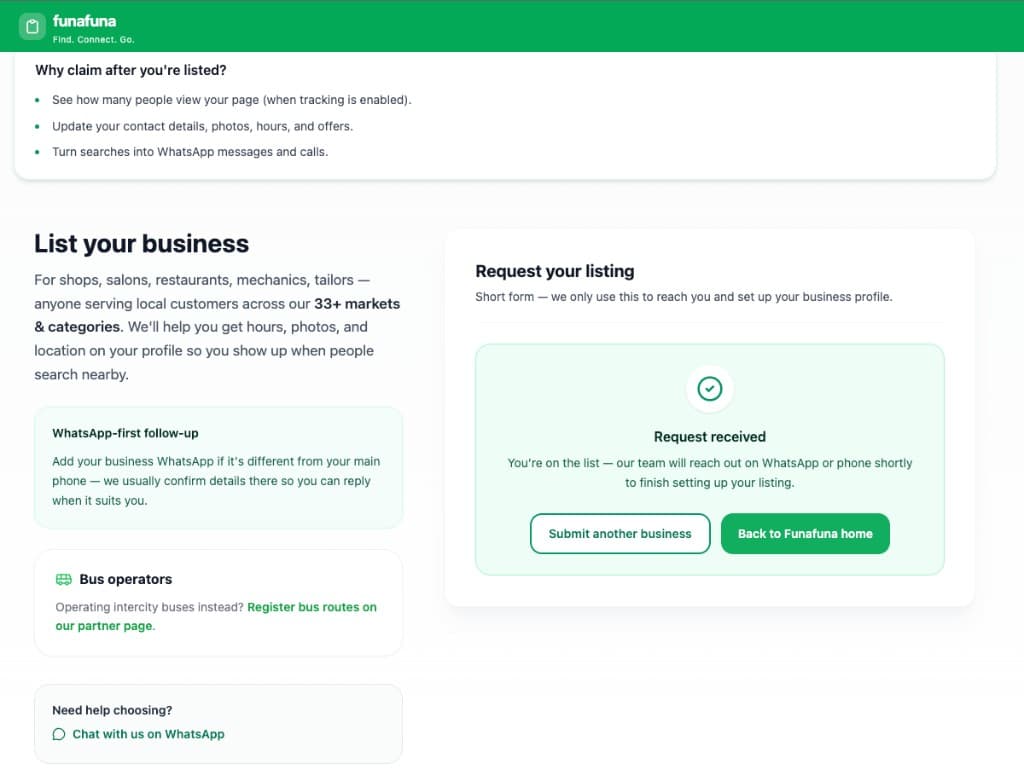
Request received confirmation after submitting the form Wait for follow-up
You are on the list — the Funafuna team will reach out on WhatsApp or phone to confirm details and finish setting up your listing.
Once your profile is live, search for your business on Funafuna. If it appears, you can claim it to manage updates yourself.
Team follow-up message on the confirmation screen
FAQs
- Is it free to request a listing?
Yes. Requesting a listing through Get Listed is free. There is no payment required to apply.
- What if my business is already listed?
Search on /business first. If your business is already on Funafuna, use Manage My Business to claim your existing page instead of submitting a new listing request.
- Do I need WhatsApp?
WhatsApp is not strictly required, but at least one phone or WhatsApp number is needed. WhatsApp is recommended because Funafuna uses it for follow-up and many customers prefer to message businesses there.
- Can bus operators use this form?
Intercity bus operators should use the dedicated bus partner registration linked on the Get Listed page instead of the general listing form.
- How long does it take to hear back?
Our team follows up on WhatsApp or phone as soon as possible after you submit. Timing varies by volume — keep your phone and WhatsApp available.
- Can I submit more than one business?
Yes. After you see Request received, tap Submit another business to send a separate request for another location or brand.
Related tutorials
Continue learning with these guides.
Benefits of Listing Your Business on Funafuna
Discover how a free Funafuna business page helps customers find, contact, and trust your business.
Claim Your Business
Search for your listing on /business, open your business page, and submit a claim to manage your Funafuna profile.
Update Your Listing Details
Learn how to keep your Funafuna business page accurate by updating your business information, hours, photos, services, rooms, products, menus, amenities, promotions, and accepted payment methods.